
Shepherd Workflows for Document Review and Handover
The same tools can serve different teams. Choose a concrete task, identify the people involved and agree what a useful result should contain.
Resolve Conflicting Technical Documents
Begin with the decision the team needs to make and the source versions that may affect it. Collect the original pages, inspect extracted text and compare the exact passages that disagree. Retain dates, revision identifiers and the context around each statement.
In the synthetic refinery example, procedure PROC-MNT-114 revision 2 states a six-month interval while bulletin EB-2026-09 states three months. The useful output is a review note that identifies both passages, records the applicability decision and names the responsible reviewer. The sample illustrates the workflow; it is not a plant operating instruction.
- Input: original documents and revision context.
- Work: compare passages, clarify applicability and review the proposed answer.
- Output: a decision record with sources, reasoning, owner and follow-up.
Give the Next Technical Owner a Usable Handover
A folder of files rarely explains the current state of a system. Prepare a system overview, the current design documents, the decisions that shaped them and the unresolved work. Keep accepted material distinguishable from drafts and record which revision the handover describes.
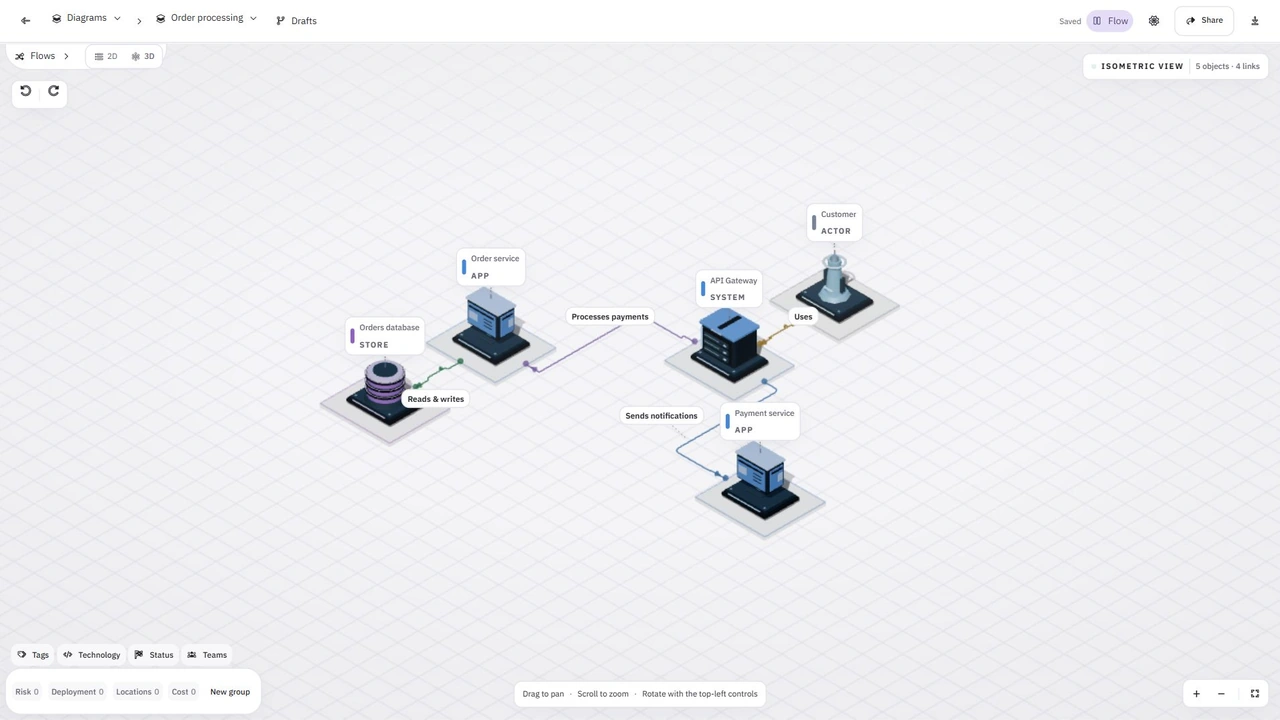
Use a diagram to explain the major components and dependencies, a written brief for the reasoning and a table for open actions. Ask a colleague who missed the original meetings to identify the current state and next action. Their unanswered questions show where the handover needs more context.
Turn Well-Log Files into Reviewable Data
A petroleum-data workflow starts by reading the file metadata and channels. Confirm the recorded depth unit, the missing-value convention and the series needed for the chosen view. Keep source-row identity and the selected depth window alongside the plotted curves.
The supplied Danielson display copy contains 4,720 rows and 12 columns. A preview can compare gamma ray, interpreted porosity and water saturation against depth. Preserve gaps and valid zeros. If another template needs pressure, permeability or seismic data, obtain that source rather than deriving an unsupported series from the display sample.
- Input: LAS or DLIS plus the channels required by the chosen workflow.
- Work: read, map, inspect units and review the selected scope.
- Output: a labeled table or chart with source identity and review notes.
Answer Operational Questions from the Source
A question about a well, an event or a technical change should lead to the supporting record. Identify the relevant document passage or spreadsheet range, then check whether it actually supports the answer. Keep the surrounding context available for review.
The authored well-history example points to a specific workbook range and event cells. That is more useful than a file name alone: a reviewer can compare the answer with the identified record. Record whether the response covers one event, a selected range or a complete search; those scopes should remain distinguishable.
Finish with an Output Someone Can Continue
Choose the deliverable before beginning: a reviewed decision, a handover pack, a mapped data table or an explanation with references. This gives the team a concrete way to judge the work and keeps the exercise focused on a useful result.
Include the source version, the scope reviewed, the person responsible for acceptance and the next action. Review the final file in the tool that will receive it. A clear handover of evidence and open questions makes the workflow repeatable for the next person.
| Workflow | Result | Review Point |
|---|---|---|
| Document review | Source-backed decision note | Applicability of the selected revision |
| Technical handover | Overview, brief and open actions | A new owner can continue the work |
| Petroleum data | Mapped table and labeled chart | Units, gaps, mappings and displayed scope |